

Affiliate Tracking and Attribution Explained for Beginners
Affiliate marketing can look simple from the outside: a reader clicks a link, buys a product, and the affiliate earns a commission. Behind that short journey, however, several separate systems must work correctly.
The click must contain the right tracking information. The advertiser or network must recognize the visitor. The customer must complete an eligible action. The program must apply its attribution rules, validate the transaction, and connect the approved result to the correct affiliate account.
Affiliate tracking and attribution describe different parts of this process. Tracking records events and identifiers. Attribution decides which partner, channel, or touchpoint receives credit under the program’s rules.
Understanding this difference helps beginners interpret reports more calmly. A missing commission does not automatically mean that a platform failed, and a recorded click does not automatically mean that a commission will be approved.
This guide explains the complete path in plain language, including cookies, tracking windows, first-click and last-click rules, coupon codes, cross-device limits, consent, exclusions, validation, and practical ways to investigate reporting gaps.
IMPORTANT
Tracking is never a promise of payment. The agreement, attribution rules, definition of qualifying action, validation process, and promotion policies work together. Always check the current terms of the specific program.
What Are Affiliate Tracking and Attribution?
Affiliate tracking is the technical process used to record referral activity. It can record that someone clicked a partner link, visited a destination page, used a particular code, submitted a form, started a trial, or completed a purchase.
The tracking system may use a link parameter, a click ID, a browser cookie, first-party storage, a server-to-server event, an account login, an assigned coupon code, or a combination of methods. The exact setup varies by advertiser, network, device, browser, and transaction type.
Affiliate attribution is the decision process that assigns credit for the eligible action. If a customer encountered more than one affiliate, coupon, advertisement, email, or other channel, the attribution rule determines which interaction receives credit.
Google’s general attribution guidance describes attribution as assigning credit for important actions to clicks and other touchpoints along a user’s path. Affiliate programs use the same basic idea, but the contract and platform settings determine the actual rule for that program.
Official explanation: Google Analytics – Get started with attribution.
Why Tracking and Attribution Are Not the Same
Tracking answers a factual question: What event and identifier did the system record? Attribution answers a rule-based question: which recorded interaction should receive credit?
- A click can be tracked even when no purchase happens.
- A purchase can be recorded but attributed to another affiliate or channel.
- A transaction can be attributed to you and remain pending during validation.
- A pending commission can later be adjusted or reversed.
- A customer can use your coupon code even when the original click was not recorded.
- An analytics tool can report a sale while the affiliate dashboard reports no payable commission because the systems use different rules and datasets.
This is why beginners should avoid treating click count, conversion count, pending commission, and approved payout as interchangeable numbers. They represent different stages.
How Affiliate Tracking Works Step by Step
- The affiliate creates or receives an approved tracking link or assigned promo code.
- A visitor clicks the link or uses the code through an allowed channel.
- The system records an identifier, such as a publisher ID, click ID, campaign label, or coupon assignment.
- The visitor reaches the advertiser and completes an action, such as a purchase, qualified lead, trial, or subscription.
- The advertiser sends transaction information to the network or in-house platform.
- The platform applies the attribution window, priority rules, exclusions, and de-duplication logic.
- The transaction appears as pending, approved, adjusted, declined, or reversed according to the validation process.
- Approved commission becomes eligible for a payout cycle after any threshold and verification requirements are satisfied.
The event chain matters
A break at one stage can change the result. The link may be malformed, the identifier may not survive the journey, the conversion tag may not fire, the customer may move to another device, another channel may receive priority, or the transaction may fail validation.
You usually cannot see every technical decision from the affiliate dashboard. Your job is to preserve the evidence you control: the approved link, placement, date, sub-ID, screenshots, order reference supplied by the customer when appropriate, and written answers from support.
1. Understand Affiliate Links and Tracking Parameters
An affiliate link normally includes information that identifies the program and affiliate. It may also include the campaign, creative, destination page, or a custom reporting label.
Common information in a tracking link
- Publisher or partner ID - identifies the affiliate account.
- Offer, advertiser, or program ID - identifies the commercial relationship.
- Click or event ID - creates a unique reference for a visit or transaction path.
- Destination URL - sends the visitor to an approved page.
- Campaign, creative, or placement ID - identifies which promotion generated the click.
- Sub-ID or click reference - a label the affiliate can use for private reporting.
Do not repair a link by guessing
If a link looks long or contains encoded characters, do not delete sections simply to make it cleaner. A missing parameter can remove the identifier needed for tracking. Use the platform’s link generator, approved short link, deep-link tool, or documented format.
Test the final link after it has been placed in the real channel. Confirm that it opens the correct destination, preserves the required parameters, uses HTTPS, and does not create an unexpected redirect loop.

2. Understand Cookies and Tracking Windows
A browser cookie is a small piece of data that a server sends to a browser. The browser may store it and send it back with later requests. Cookies can support session management, preferences, and tracking.
Technical reference: MDN – Using HTTP cookies.
In affiliate marketing, a cookie or another identifier can help connect a later action with an earlier referral. The tracking window, sometimes called the attribution or referral window, is the period during which the program may consider that referral eligible for credit.
Cookie duration is not the whole rule
A 30-day window does not mean every purchase within 30 days earns a commission. The customer may click another partner, use a different code, clear browser data, reject optional storage, switch devices, buy an excluded product, or fail another condition in the agreement.
- When the window starts: first click, most recent click, code use, registration, or another event.
- Whether a later click replaces the earlier referral.
- Whether direct visits preserve or remove prior credit.
- Whether the window applies to new customers only or to every eligible transaction.
- Whether browser storage, server-side identifiers, login matching, or codes are used.
- Whether a purchase must happen, be paid, or be validated before the window closes.

Before promoting an offer, record these rules in your review of the affiliate program terms.
3. Compare First-Click, Last-Click, and Other Attribution Rules
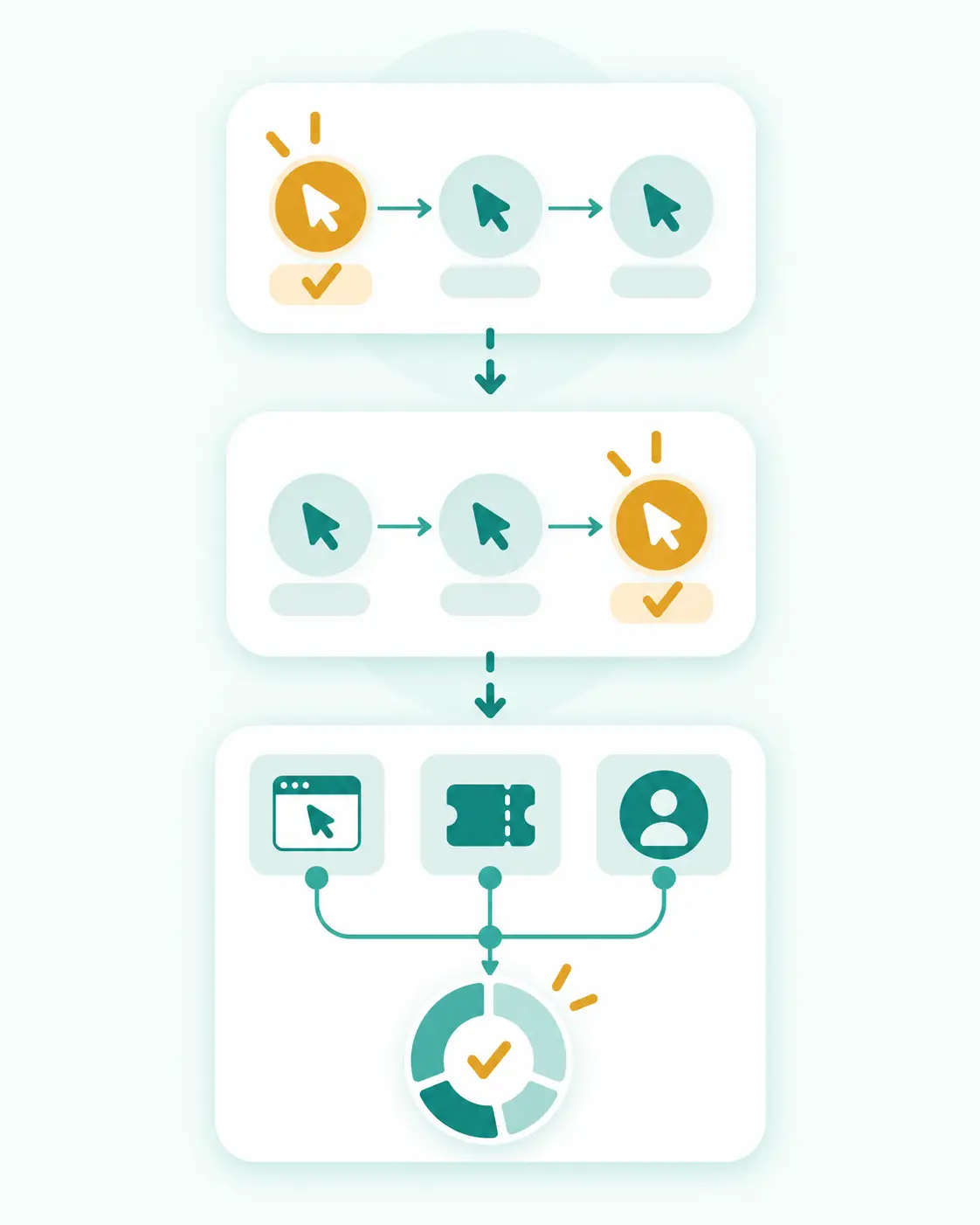
A customer may interact with several affiliates and marketing channels before converting. An attribution model decides which interaction receives credit. Do not assume that every affiliate program uses the same model.
First-click attribution
First-click attribution gives credit to the first eligible referral in the defined journey. It can recognize the partner who introduced the customer, but later interactions may still affect eligibility under the program’s terms.
Last-click attribution
Last-click attribution gives credit to the most recent eligible click before conversion. Some programs use last affiliate click, while others compare affiliate traffic with additional channels. The exact meaning of last click must be defined by the program.
Other or conditional models
Some programs use multi-touch, position-based, data-driven, customer-status, channel-priority, or custom rules. Others assign credit through an exclusive coupon, a lead record, a referral code, or a manually approved partner relationship.
The attribution rule affects who receives credit; the commission structure affects how the credited transaction is calculated. Review the Loyalix guide to affiliate commission structures for the separate calculation step.
4. Check Coupon Code and Promo Code Attribution
Some programs assign a unique coupon or promo code to a specific affiliate. If the advertiser passes the used code into its tracking system, the code may identify the partner even when a traditional click is unavailable.
Awin explains that voucher attribution can award commission when a customer uses a unique code assigned to a publisher. Impact.com similarly describes assigned promo codes that can be tracked and credited when used. These are platform examples, not universal rules.
Official examples: Awin voucher attribution and impact.com promo codes for partners.
Questions to ask about code attribution
- Is the code exclusive to my account or available to several affiliates?
- Does the code create attribution without a prior click?
- What happens if the customer clicked another affiliate and then used my code?
- Does the code override another channel, or does a priority rule apply?
- Are all products, countries, and customers eligible for code-based commission?
- May I publish the code in email, social media, video, coupon pages, or paid advertising?
- What happens if the code is copied to an unapproved website?
Never assume that possession of a working discount code permits you to publish it everywhere. Tracking, attribution, and promotion permission are separate questions.

5. Review Cross-Device and Cross-Browser Limits
A customer may click on a phone, compare products on a tablet, and purchase later on a laptop. Traditional browser-based tracking may not automatically connect those events because the identifiers are stored in different browsers or devices.
When cross-device matching may be possible
- The customer signs in to the same recognized account on both devices.
- The advertiser and platform use a permitted first-party or server-side identifier.
- The customer uses an affiliate-specific coupon or referral code.
- The program has a documented cross-device method and enough consent or other lawful basis for its setup.
When the path may remain disconnected
- The customer is not signed in and moves to a different device.
- The browser blocks or limits the required storage.
- The customer switches from an app to a browser or from one browser to another.
- The code or referral identifier is not carried into checkout.
- The advertiser's implementation does not support the journey.
Do not advertise cross-device tracking as guaranteed unless the program documents it. Ask how the feature works, what conditions it requires, and how it appears in reporting.

6. Understand Consent, Privacy Choices, and Tracking Loss
Affiliate tracking operates inside a wider privacy environment. People may reject optional cookies, use browser privacy settings, delete stored data, install blocking extensions, or browse in ways that reduce the identifiers available to the advertiser.
Safari’s WebKit documentation explains that third-party cookies are blocked by default and that its tracking prevention also addresses link decoration and other cross-site techniques. Browser behavior can therefore affect which methods remain available.
Browser reference: WebKit – Full Third-Party Cookie Blocking and More.
Consent and cookie rules depend on the technology, purpose, audience, and jurisdiction. The European Data Protection Board has published enforcement-oriented material on cookie-banner practices, and other regulators provide local guidance. A publisher should not try to bypass a user’s privacy choice simply to preserve attribution.
Regulatory reference: European Data Protection Board – Cookie Banner Taskforce report.
What this means for an affiliate
- Use the disclosure and consent setup required for your own site and audience.
- Do not promise perfect tracking or claim that every referral will appear.
- Avoid adding undisclosed scripts, redirects, or identifiers to recover lost credit.
- Keep your privacy notice, cookie information, and affiliate disclosure consistent with what your site actually does.
- Ask the program whether the tracking link alone places storage on your site or only after the visitor reaches the advertiser.
- Obtain qualified legal or privacy advice when your setup or jurisdiction requires it.

BOUNDARY
This article explains operational concepts and does not provide legal advice. Privacy, consent, and advertising rules vary by country, technology, audience, and business role.
7. Identify Excluded Traffic, Customers, Products, and Events
A technically recorded conversion can still be ineligible. Programs often define exclusions that affect attribution or commission after the event is received.
Common Exclusions to Review
- Self-referrals, household purchases, employee orders, or related-party activity.
- Existing customers when the program pays only for new customers.
- Excluded countries, territories, products, plans, gift cards, taxes, shipping, or fees.
- Unapproved coupon use, coupon leakage, or codes not assigned to the affiliate.
- Brand-keyword bidding, prohibited paid search, pop-ups, forced redirects, or cookie stuffing.
- Incentivized, duplicate, incomplete, fraudulent, or low-quality leads.
- Orders canceled, refunded, charged back, unpaid, or returned during validation.
- Traffic from a channel that was not listed or approved in the affiliate account.
Read both the main agreement and every linked policy. A summary page may describe a headline cookie duration but omit the exclusions that decide whether a commission is actually payable.

8. Review Validation, Reversals, and Reporting Delays
Attribution is not always the final step. Many programs place conversions in a pending status while the advertiser confirms payment, customer eligibility, product eligibility, return periods, lead quality, and compliance with promotion rules.
Typical status path
- Click recorded - the platform received a referral event.
- Conversion tracked - a purchase, lead, trial, or other event was received.
- Pending - the program has not completed validation.
- Approved - the transaction passed the stated checks.
- Adjusted - the amount or eligible items changed.
- Declined or reversed - the event did not meet a condition or later became invalid.
- Payable or paid - the approved amount was entered or completed a payout cycle.
Reporting delays are not always failures
Clicks may appear quickly while conversions arrive in batches. Some advertisers use delayed imports, offline validation, or server-side processing. Time zones, currency conversion, order updates, and return periods can also make two reports look temporarily inconsistent.
Record the normal reporting delay, validation window, inquiry deadline, and evidence required before you start promotion. Contact support only after the documented period unless the program identifies an urgent tracking problem.

9. Use Sub-IDs to Understand Your Own Results
A sub-ID, click reference, or tracking label lets an affiliate distinguish placements that use the same program. The network may still apply the same commission and attribution rules, but your own reporting becomes clearer.
A simple naming system
- site-review-top - top link in a website review.
- site-review-table - link inside a comparison table.
- email-welcome-03 - third message in a welcome sequence.
- youtube-tutorial-description - link below a tutorial video.
- facebook-guide-sep - September Facebook guide post.
Protect personal information
Use neutral labels. Do not place a reader’s name, email address, phone number, order number, or other personal information in a sub-ID unless the platform explicitly supports that use and you have confirmed the privacy and security requirements.
Keep a small link register with the program, destination, placement, sub-ID, creation date, and last test date. This makes broken-link reviews and support inquiries much easier.

10. Investigate Missing or Mismatched Conversions
When a reader reports a purchase but the affiliate dashboard shows nothing, begin with evidence rather than accusation. Your website analytics, the advertiser’s order system, and the affiliate platform may count different events and use different attribution windows.
A calm investigation sequence
Do not expect two dashboards to match exactly
Analytics tools can count visits, sessions, key events, or modeled conversions. Affiliate dashboards count transactions under program-specific rules. Different time zones, consent choices, de-duplication, currency, refunds, and validation stages can produce legitimate differences.

Imagine a fictional software program with a 30-day tracking window. The agreement says that the last eligible affiliate click normally receives credit, but an exclusive assigned coupon overrides click attribution when the code is used at checkout.
ESCALATE WITH EVIDENCE
A useful support request identifies the program, link, placement, date and time zone, sub-ID, expected event, relevant order reference, and the rule you are asking the program to clarify.
Fictional Example: Two Affiliates, Two Devices, and One Coupon
Possible outcomes under different rules
The customer journey did not change. Only the attribution and eligibility rules changed. This is why affiliates should read the program's definitions instead of applying a general assumption.
Affiliate Tracking and Attribution Comparison Table
| METHOD | WHAT IT MAY IDENTIFY | USEFUL STRENGTH | IMPORTANT LIMIT |
|---|---|---|---|
| Tracking link | Publisher or click identifier in a URL | Easy to place and test | Can be altered, blocked, or disconnected by later events |
| Browser cookie/storage | A returning browser or session | Can connect a later action on the same browser | Deletion, expiry, consent, browser limits, and device changes matter |
| Server-side event | A transaction identifier sent between systems | Less dependent on a page-based browser tag | Requires correct advertiser integration and matching logic |
| Assigned coupon code | Use of a code linked to a partner | Can support social, audio, and cross-device journeys | Priority, leakage, eligibility, and channel rules still apply |
| Account or login match | A recognized customer account | May connect activity across sessions or devices | Not available for anonymous users and requires appropriate data handling |
| Sub-ID | Affiliate-defined placement label | Improves the affiliate's own reporting | Does not override the program's attribution rules |
| Manual inquiry | Evidence reviewed by support | Can clarify an exceptional missing transaction | Deadline, evidence, privacy, and program discretion apply |
Affiliate Tracking Review Checklist
Frequently Asked Questions
What is affiliate tracking?
Affiliate tracking is the technical process used to record referral activity, such as clicks, visits, coupon use, leads, trials, purchases, and the identifiers connected with those events.
What is affiliate attribution?
Affiliate attribution is the rule-based process that decides which eligible affiliate, channel, click, code, or touchpoint receives credit for a customer action.
Does a longer cookie duration guarantee a commission?
No. The attribution model, later clicks, coupon rules, consent choices, browser restrictions, device changes, product exclusions, customer eligibility, and validation can all affect the result.
What does last-click attribution mean?
It generally means that the most recent eligible click before conversion receives credit. A program may use the last affiliate click or a broader channel rule, so read the exact definition.
Can a coupon code earn commission without a tracked click?
Sometimes. An assigned code can support code-based attribution if the advertiser records it and the program allows that outcome. Code ownership, priority, channel, and eligibility rules still apply.
Why might a conversion be missing from my affiliate dashboard?
Possible reasons include a changed link, blocked or expired storage, another eligible interaction, a different device, a reporting delay, an excluded action, an unapproved channel, or an incomplete advertiser integration.
Does affiliate tracking always work across devices?
No. Cross-device credit may require a recognized login, permitted identifier, assigned code, or documented platform method. A phone click and laptop purchase may remain disconnected.
Can a user’s consent choice affect affiliate tracking?
Yes. A user may reject optional cookies or use privacy settings that reduce available identifiers. The effect depends on the technology and program setup. Affiliates should respect the user’s choice and follow applicable guidance.
Final Thoughts
Affiliate tracking and attribution are related, but they are not the same. Tracking records events and identifiers. Attribution applies the program’s rules to decide which eligible interaction receives credit.
A click is not an approved commission. A long cookie duration is not a guarantee. A coupon code is not universal permission. Cross-device tracking is not automatic. A missing transaction is not proof of wrongdoing.
A careful affiliate records the actual tracking method, attribution model, window, coupon rules, privacy limits, exclusions, validation period, and inquiry procedure before investing heavily in promotion.
Start with one approved link, one clear placement, and one simple sub-ID. Test the destination, review the dashboard, preserve your records, and ask precise questions when the result does not match the documented rules.
That calm process will not eliminate every tracking gap, but it will help you understand reports, protect audience trust, and make better decisions about the programs you promote.


