

How to Monitor an Affiliate Program After You Join
Joining an affiliate program is not the end of the review process. After approval, links can stop working, products can change, commission rules can be updated, and a dashboard can show activity that still needs validation before it becomes payable.
A simple affiliate program monitoring routine helps you notice these changes before they create inaccurate content, broken reader journeys, or confusing payment records. The goal is not to watch every number each day. It is to check the few areas that affect readers, compliance, tracking, and your ability to understand what happened.
Monitoring is especially important because the visible click count is only one part of the process. A click may not lead to a purchase. A recorded conversion may remain pending. A pending commission may later be approved, adjusted, or reversed. An approved balance may still wait for a payout threshold, payment schedule, identity check, tax form, or supported payment method.
This guide explains what to save when you join, what to review each week or month, how to investigate unusual changes, and when it may be safer to pause or remove a promotion. It is written for beginners and does not assume that every program uses the same dashboard or terminology.
This article is for general educational purposes and does not provide legal, tax, privacy, financial, or individualized business advice. Affiliate terms, platform rules, tracking methods, product details, and disclosure requirements can change. Participation, attribution, commissions, and payment are never guaranteed.
Table of Contents
What Affiliate Program Monitoring Actually Means
Affiliate program monitoring is the repeated review of the program relationship after you have been accepted. It combines operational checks, editorial checks, and recordkeeping. The purpose is to confirm that the program still works as expected and that your public content remains accurate.
A useful routine covers six connected areas:
- Program status and account access
- Affiliate links, landing pages, and approved promotional assets
- Clicks, conversions, attribution signals, and reporting gaps
- Pending, approved, reversed, locked, and paid commissions
- Current product information, prices, availability, and customer-facing policies
- Current terms, traffic restrictions, disclosure duties, and privacy controls
These checks answer different questions. A working link does not prove that attribution is correct. A dashboard conversion does not prove that a commission will be paid. A payment does not prove that the product page or your older article is still accurate. Monitoring works best when each area is reviewed separately and then considered together.
MONITORING PRINCIPLE:
A program should remain useful to the audience, understandable to you, and manageable under its current rules. Performance alone is not enough.
Save a Baseline Before You Start Promoting
A baseline is a dated record of the conditions you understood when you joined. It gives you something reliable to compare with later emails, dashboard changes, or updated terms.
Create the baseline before publishing the first affiliate link, or as soon as possible if promotion has already started. Record the information from official program pages, your accepted agreement, and the current dashboard. Do not rely only on memory or on a screenshot of the headline commission rate.
| MONITORING AREA | BASELINE TO SAVE | WHY IT MATTERS |
|---|---|---|
| Program identity | Merchant, network or platform, program name, support route | Prevents confusion when one platform manages several advertisers. |
| Agreement | Terms URL or saved copy, version or effective date, date reviewed | Makes later changes easier to identify. |
| Commission | Qualifying action, rate or amount, exclusions, validation period | Separates a headline rate from the conditions required for approval. |
| Attribution | Tracking window, attribution model, coupon rules, cross-device notes | Explains why some reader actions may not be credited. |
| Payment | Threshold, schedule, method, currency, fees, verification needs | Helps reconcile approved commissions with actual payouts. |
| Promotion | Permitted channels, prohibited methods, trademark and creative rules | Protects against using an unapproved traffic source or claim. |
| Product | Key page URLs, plan names, prices checked, important limitations | Supports accurate articles and comparisons. |
Add the date next to every item. If a detail cannot be confirmed, write “Unconfirmed” and identify the official source or support question needed. An empty cell can easily be mistaken for a completed check.
BASELINE RULE:
Save facts that affect eligibility, reader decisions, attribution, approval, and payment. Avoid collecting personal customer information or copying private data that you do not need.
Keep Your Account and Contact Details Current
An affiliate account can appear active while an important administrative requirement is incomplete. A changed email address, expired identity document, missing tax form, incorrect payment country, or unsupported payout method may delay communication or payment.
Review the account settings after approval and whenever your business details change. Confirm:
- The name, business name, address, and country are accurate.
- The program can reach a monitored email address.
- Payment and tax information is complete and current where required.
- Two-factor authentication or another available security control is enabled.
- Only authorized people can access the account.
- Your website, social profiles, and declared promotional methods still match actual use.
- Program announcements are not being filtered into spam or an abandoned inbox.
Never send identity, tax, or banking information through an unexpected email link. Open the official dashboard directly, verify the domain, and use the program’s documented support route when a request seems unusual.
If several people work on the website, avoid sharing one password. Use individual roles or access controls when the platform provides them, and remove access when a person no longer needs it.
Check Affiliate Links and Landing Pages
A link can fail even when the HTML on your page has not changed. The advertiser may move a product page, discontinue an offer, change a country-specific destination, replace a tracking platform, or invalidate an old creative.
Check important affiliate links from the public version of your article, not only from the WordPress editor. A practical link review includes:
Do not complete a self-purchase or create a test lead unless the program explicitly permits that method. Many agreements prohibit self-referrals, artificial transactions, incentivized actions, or other attempts to test tracking. If a program provides a test-link tool, link validator, or approved test process, use that instead. Otherwise, ask support how to verify the setup without creating an ineligible action.
When a link fails, pause the affected promotion if readers cannot reach the promised destination or if the link now leads to a materially different offer. Replace it only with a link created or approved by the program. Keep a note of the old URL, new URL, affected pages, date changed, and reason.
Review Clicks, Conversions, and Attribution Patterns
Affiliate dashboards often report clicks, conversions, and commission events. These numbers can help you notice technical or editorial problems, but they should not be treated as a perfect record of every reader journey.
A click can be recorded without a later conversion. A conversion can occur after the tracking window has expired or after another eligible channel receives credit. Consent choices, browser controls, deleted cookies, cross-device activity, coupon use, duplicate events, fraud filters, and reporting delays may also affect what appears in the dashboard.
For a deeper explanation of tracking windows, attribution models, and common reporting gaps, see Affiliate Tracking and Attribution Explained for Beginners. The guide Affiliate Programs for Beginners: How They Work From Application to Payout also explains how a tracked action moves toward validation and payment.
Look for patterns rather than reacting to one small change. Compare similar periods when possible, and note whether you changed content, traffic sources, link placement, seasonality, campaigns, or products at the same time.
| DASHBOARD SIGNAL | POSSIBLE EXPLANATION | NEXT CHECK |
|---|---|---|
| Clicks fall sharply | Broken link, lost page traffic, tracking change, reporting delay | Open the public link, check site analytics and program notices, then compare after reporting updates. |
| Clicks rise but conversions do not | Audience mismatch, landing-page change, attribution limit, low-intent traffic | Review source pages, reader intent, destination accuracy, and permitted traffic quality. |
| Conversions appear late | Batch reporting, validation delay, time-zone difference | Check the reporting documentation and wait for the stated update period. |
| One page behaves differently | Incorrect link, different product, misleading placement, technical error | Inspect that page and destination separately. |
| Dashboard and site analytics differ | Different definitions, blocked scripts, consent choices, time zones | Compare definitions and periods; do not force the totals to match. |
TRACKING BOUNDARY:
Use reports to identify questions, not to invent certainty. A difference between systems is a reason to investigate definitions and timing, not proof that a program has failed.
Track Pending, Approved, Reversed, and Paid Commissions
Commission labels describe stages, not interchangeable totals. Programs use different wording, so confirm the definitions in the current agreement or dashboard help center.
- Pending or estimated: the action has been recorded but still requires review.
- Approved or locked: the program has accepted the commission under its current process, although payment timing may still depend on other requirements.
- Reversed, rejected, or declined: the recorded action no longer qualifies or did not satisfy the rules.
- Paid: the program reports that the commission has been included in a payment.
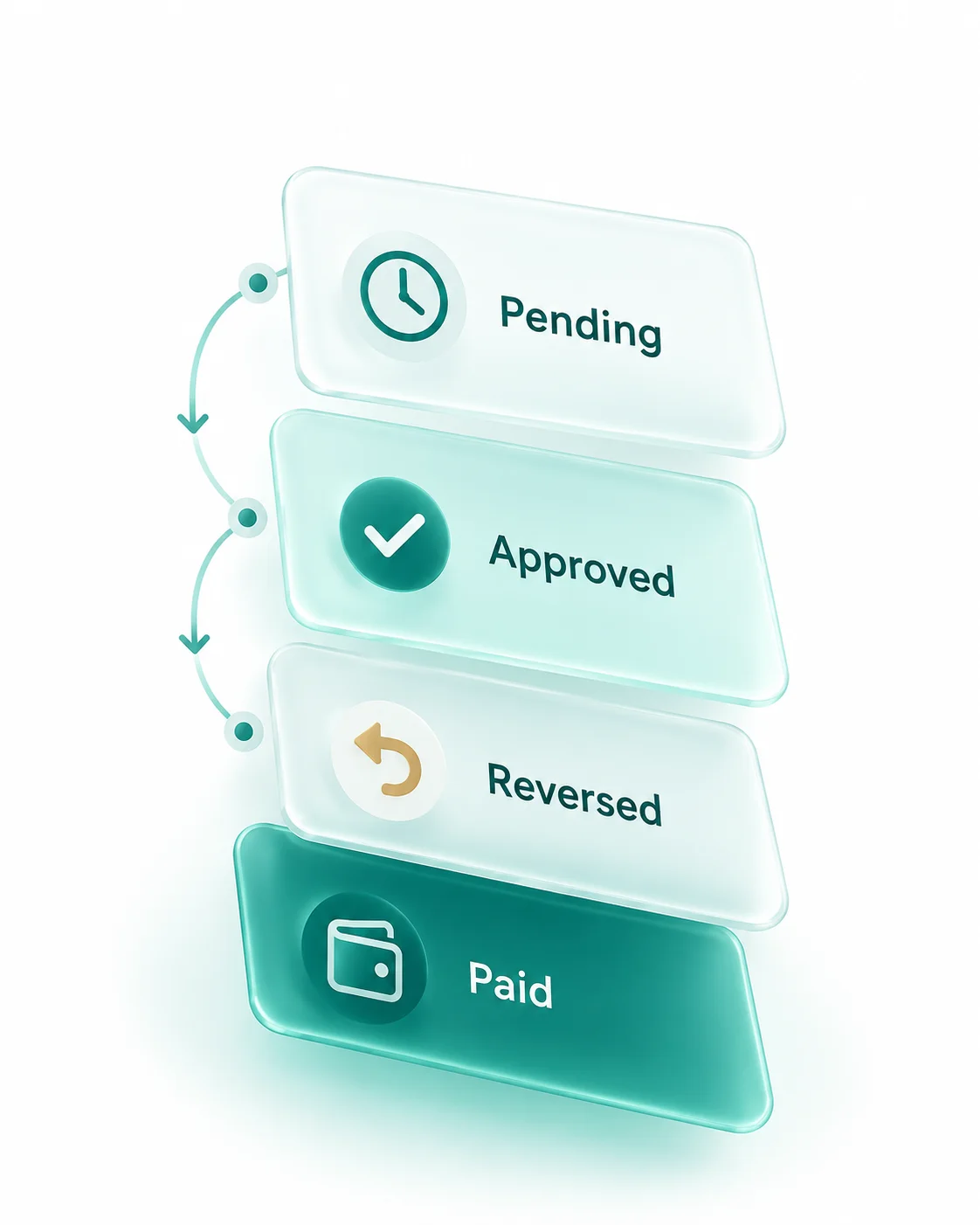
Common reasons for reversals include refunds, cancellations, payment failures, duplicate customers, invalid leads, excluded products, geographic restrictions, self-referrals, suspected fraud, or prohibited promotion. The program should provide the exact reason, not guesswork.
The published guide Affiliate Commission Structures Explained provides a fuller explanation of qualifying actions, validation, reversals, thresholds, and different commission models.
Review reversal rates over a meaningful period and group them by reason when the dashboard provides that information. One refund is normal for many businesses. A sudden cluster after a product, traffic-source, or policy change deserves closer attention.
Do not describe pending commissions as earned income in public claims or personal planning. Until a commission is approved and paid, several conditions may still affect it. Even paid results from one period do not guarantee future results.
Reconcile Payouts and Payment Details
Payout reconciliation means comparing the program’s payment record with the amount actually received. It helps you distinguish a reporting issue from a payment delay and provides a clear record for bookkeeping or professional tax support.
For each payment period, record:
- The opening approved balance
- New commissions approved during the period
- Adjustments or reversals applied
- The payout threshold and whether it was reached
- The payment date and reference shown in the dashboard
- The gross payment amount
- Any platform, transfer, or currency-conversion fee
- The net amount received and the currency
- Any amount carried forward
If the numbers do not match, first confirm the reporting period, time zone, currency, validation cutoff, and fee treatment. Then save the relevant payment reference and contact support with a concise description. Avoid sending a full bank statement when a transaction reference or redacted proof is sufficient.
PAYMENT RULE:
Keep private payout and tax records outside the public website. Publish only accurate, necessary information, and never use one dashboard result as a promise of typical earnings.
Watch for Changes to Program Terms
Affiliate agreements commonly allow programs to update rates, eligible products, attribution rules, promotional restrictions, payment conditions, or termination procedures. The notification method may be email, a dashboard message, an updated policy page, or another channel defined by the agreement.
Create a simple change log with the date, source, affected clause, practical impact, pages affected, action taken, and person responsible. Compare the new information with the baseline you saved when you joined.
Prioritize changes that affect:
- What customer action qualifies
- Commission rates, product eligibility, or recurring duration
- Tracking windows, attribution, coupon use, or cross-device rules
- Validation periods, refund treatment, or reversal reasons
- Payment thresholds, schedules, methods, fees, or currencies
- Permitted websites, email, social media, paid ads, or coupon promotion
- Brand names, trademarks, approved creative, and prohibited claims
- Disclosure, privacy, data-use, or recordkeeping responsibilities
- Suspension, inactivity, termination, and post-termination link handling
A changed date at the top of a policy page does not explain the practical effect by itself. Read the relevant sections and ask support when a material point remains unclear. If you cannot comply immediately, pause the affected promotional method until you understand the rule.
For a detailed pre-joining review, see How to Read Affiliate Program Terms Before You Join. For an overview of comparison criteria, see How to Compare Affiliate Programs Before You Join.
Recheck Products, Prices, and Customer Experience
Your affiliate content represents the product to readers, even though you do not control the merchant’s website. A recommendation can become inaccurate when a plan is renamed, a feature is removed, a price changes, a free trial ends, a geographic restriction appears, or the cancellation process changes.
Review the customer-facing page at a frequency that matches the importance and volatility of the claim. High-impact claims about price, trial length, guarantees, eligibility, renewal, refunds, security, or regulated services deserve closer and more frequent checking than a general description.
Separate three kinds of statements:
- Current facts: details confirmed on an official page with a review date.
- Personal experience: what you actually used or observed, with an honest time frame and limits.
- Interpretation: your reasoned assessment, clearly presented as judgment rather than a guaranteed result.
If you have not used a product, do not write as though you have. You may explain documented features and terms, but claims about ease of use, support quality, performance, or outcomes need appropriate evidence.
When deciding whether an offer still fits your readers, revisit How to Find Affiliate Programs That Fit Your Niche and Audience. A once relevant program can become a poor fit after the product, audience, or content changes.
Keep Promotions and Disclosures Accurate
Readers should be able to understand when you may receive a benefit from a recommendation. A general disclosure page is useful, but it may not be enough by itself. The disclosure should be clear, easy to notice, and close enough to the recommendation or affiliate link that readers see it before deciding whether to act.
The U.S. Federal Trade Commission explains that material connections should be disclosed clearly and conspicuously. Rules can differ by country, audience, platform, and content format, so review the official guidance that applies to your situation and seek qualified advice when needed.
Official reference: FTC guidance on endorsements, influencers, and reviews.
During monitoring, check that:
- The disclosure appears before or near the first relevant affiliate link.
- The wording is understandable without legal or marketing jargon.
- The disclosure remains visible on mobile devices.
- Video, email, and social formats include an appropriate disclosure in the content itself where required.
- The relationship described is still accurate.
- Claims about price, results, availability, features, and personal use are current and supportable.
For search markup, Google recommends marking paid links, including affiliate links, with the sponsored relationship attribute. Confirm that your WordPress setup adds rel=”sponsored” where appropriate and that opening links in a new tab does not replace the need for the relationship attribute.
Official reference: Google Search Central — Qualify your outbound links.
DISCLOSURE RULE: A disclosure should help a real reader understand the relationship. Do not hide it in a footer, behind vague language, or only on a separate page when the connection matters to the current recommendation.
Review Traffic-Source and Promotion Restrictions
A program may approve your website but restrict other promotion methods. Do not assume that approval covers every channel you use later.
Recheck the agreement before adding a new traffic source, campaign, or content format. Common restrictions may cover:
- Paid search and bidding on brand or trademark terms
- Direct linking from advertisements to the merchant
- Coupon, cashback, loyalty, or incentive promotion
- Email lists, messaging apps, downloadable files, or browser extensions
- Social media accounts, groups, communities, or private messages
- Use of domains, usernames, logos, screenshots, and brand assets
- Price, discount, scarcity, income, health, financial, or performance claims
- Sub-affiliates, agencies, contractors, or secondary websites
Keep a list of the websites and channels declared to the program. When you add a new domain or social profile, update the account or request approval if the terms require it. Save the response when support authorizes an exception or clarifies an ambiguous rule.
If an older post uses a method that is no longer permitted, remove or disable the affiliate link while you correct the content. A small temporary reduction in promotion is safer than continuing a method you know may violate the agreement.
Protect Privacy and Use Tracking Responsibly
Affiliate links and related analytics can involve identifiers, cookies, or other tracking technologies. Your responsibilities depend on the tools used, the program arrangement, the visitor’s location, and the laws that apply. A plugin or consent banner does not automatically make every implementation compliant.
Use the smallest amount of data needed for a defined purpose. Avoid adding multiple overlapping trackers merely because they are available. Document which tool sets or reads data, what purpose it serves, how long information is retained, who receives it, and how consent or another lawful basis is handled where required.
Review your privacy notice and consent controls when you add a network, link-management service, analytics product, or advertising technology. Test the site before and after consent choices, and confirm that the public explanation matches the actual setup.
Official reference for European cookie-banner enforcement themes: EDPB Cookie Banner Taskforce report. Use qualified privacy advice for your specific implementation and jurisdiction.
Do not place personal customer data in your monitoring spreadsheet. Affiliate reports should usually be reviewed through aggregate counts, transaction references, or program-provided identifiers. If a support case requires sensitive evidence, share only what is necessary through the official secure route.
Record Questions and Contact Support
Support is most useful when the question is specific, dated, and supported by the minimum relevant evidence. “My tracking is broken” is difficult to investigate. A concise description of the page, link, event time, expected behavior, and observed report gives the program a clearer starting point.
A useful support record includes:
- Program and account identifier
- Date and time, including time zone
- Affected page and affiliate-link destination
- Transaction or report reference when available
- Expected result and observed result
- Steps already checked
- Screenshots with unnecessary personal data removed
- Ticket number, response, responsible person, and next review date
Keep the answer with your program records when it clarifies a term or approved practice. If the answer conflicts with the written agreement, ask which document controls and request a current official reference. A friendly support message does not automatically amend the program terms.
ESCALATION TEST:
Pause the affected link or campaign when the issue could mislead readers, expose sensitive data, violate a rule, or materially affect payment, and you cannot verify the correct action.
Build a Weekly, Monthly, and Quarterly Routine
The right schedule depends on traffic, the number of programs, the importance of the claims, and how frequently the advertiser changes products or terms. A beginner with a few links does not need an enterprise monitoring system. A small recurring checklist is usually enough.
| FREQUENCY | CORE CHECKS | ESCALATE WHEN |
|---|---|---|
| Weekly | Open priority links; scan program notices; check unusual drops, errors, or account warnings. | A link fails, a destination changes materially, or access is restricted. |
| Monthly | Review clicks and conversions; classify reversals; reconcile approved balances and payouts; update the change log. | Patterns differ materially without a clear editorial or seasonal reason. |
| Quarterly | Re-read key terms; verify products, prices, disclosures, traffic sources, privacy controls, and old high-traffic content. | The program no longer fits the audience or current rules cannot be followed. |
| Event-Based | Review immediately after a program email, migration, rate change, product launch, legal notice, or major site change. | The event affects a live claim, link, tracking method, or payment condition. |
Schedule the next check while completing the current one. A monitoring routine fails when every item is marked “review later” without a date or owner.
Create a Simple Monitoring Log
A spreadsheet or database can be helpful, but it should remain simple enough to maintain. Use one row for each material check or change rather than creating a large dashboard that nobody reviews.
| FIELD | EXAMPLE ENTRY |
|---|---|
| Program | Example Software Partner Program |
| Area | Landing page |
| Date checked | 2026-09-15 |
| Source | Official program dashboard |
| Finding | Old plan page redirects to a new pricing page |
| Impact | Two comparison articles mention the previous plan name |
| Action | Pause affected links, verify new plan, update copy and disclosure |
| Owner/status | Regina — In review |
| Next check | 2026-09-17 |
Avoid recording access credentials, full payment details, tax identifiers, or customer information in the log. Store sensitive records in an appropriate protected system and give access only to people who need it.
Affiliate Program Monitoring Checklist
Use this checklist after approval and repeat the relevant items on your chosen schedule:
Frequently Asked Questions
How often should I monitor an affiliate program?
Check important links and urgent notices regularly, review performance and payouts at least monthly when activity exists, and complete a broader terms and content review quarterly. Increase the frequency when a program, product, campaign, or regulation changes.
What should I record when I join an affiliate program?
Save the current terms and review date, qualifying action, commission and validation rules, attribution method, payment conditions, promotional restrictions, support route, and the pages where you plan to place links. This baseline makes later changes easier to identify.
Why can clicks and conversions look different?
A click does not guarantee a qualifying action. Tracking windows, attribution rules, consent choices, browser limits, cross-device activity, other marketing channels, reporting delays, and invalid or duplicate activity can all affect the totals.
What should I do if an affiliate link stops working?
Pause or remove the affected promotion if readers cannot reach the promised destination. Verify the public page and official dashboard, replace the link only with an approved version, update affected claims, and contact support when the correct destination is unclear.
Why can an affiliate commission be reversed?
Common reasons include refunds, cancellations, failed payments, duplicate or invalid leads, excluded products, self-referrals, geographic restrictions, fraud checks, or a breach of promotional rules. Use the program’s stated reason and current terms rather than assuming the cause.
How should I monitor changes to affiliate program terms?
Keep a dated baseline, read official notices, compare changed clauses, and record the practical effect on live links, content, tracking, and payment. If a material requirement is unclear, pause the affected method and request clarification through the official support channel.
When should I stop promoting an affiliate program?
Consider pausing or leaving when the product no longer fits the audience, links or payments remain unreliable, material information cannot be verified, the rules conflict with your content methods, or accurate disclosure and compliance are not manageable. Protecting readers and editorial trust is more important than preserving a commission opportunity.
Final Thoughts
Affiliate program monitoring is not about watching a dashboard all day. It is a calm maintenance process that connects current terms, working links, understandable reports, accurate content, responsible tracking, and complete payment records.
Start with a dated baseline. Check public links and important notices. Review performance as a pattern, separate pending activity from approved and paid commissions, and record material changes. Revisit disclosures, privacy controls, product claims, and permitted traffic sources whenever the program or your content changes.
If a link, term, claim, or payment cannot be verified, pause and investigate. A smaller set of programs that you can understand and monitor is often more manageable than many relationships that receive little attention. The purpose of the routine is not to promise better earnings. It is to keep your recommendations useful, accurate, and worthy of reader trust.


